







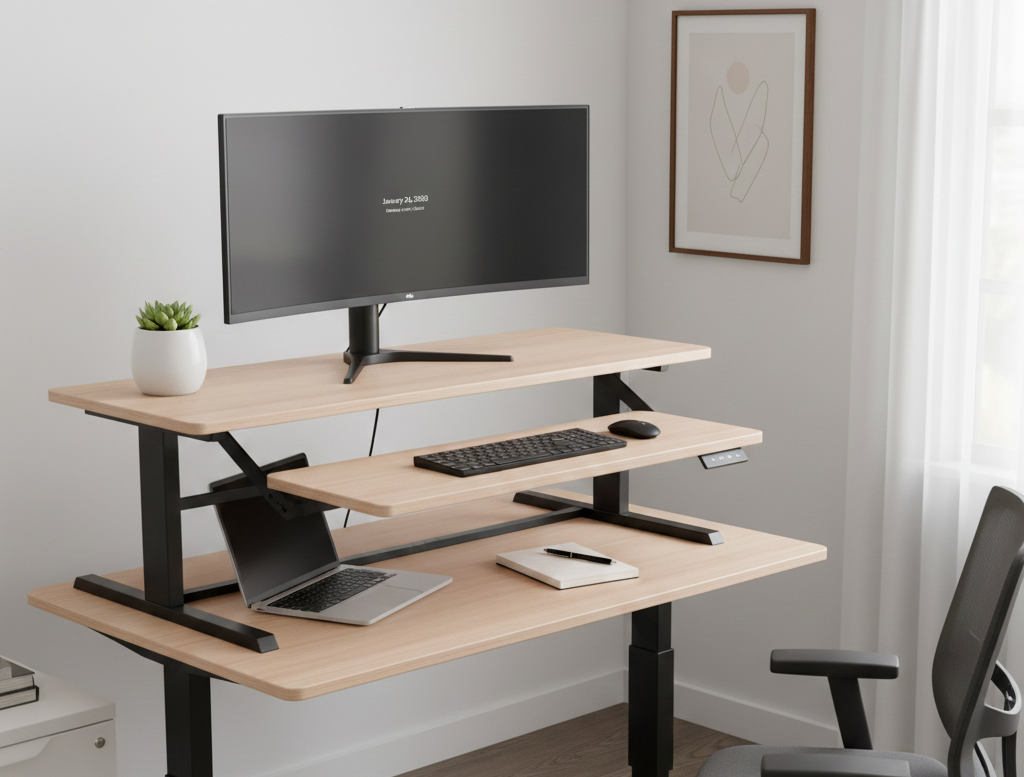
In 2026, the traditional “fixed” workspace is becoming a thing of the past. As remote and hybrid work models solidify, the demand for ergonomic flexibility has surged, bringing one specific piece of furniture to the forefront: the riser desk.
But what exactly is it, and how does it differ from a standard desk? This guide provides a deep dive into the technology, health benefits, and technical specifications of riser desks to help you optimize your professional environment.
What is a Riser Desk? (The 2026 AEO Summary)
A riser desk, also known as a desk converter or sit-stand converter, is an adjustable platform that sits on top of an existing traditional desk. It features a height-adjustable mechanism—manual, pneumatic, or electric—that allows you to switch between sitting and standing positions without replacing your furniture. It is the most cost-effective way to transform a standard desk into an ergonomic standing workstation.
Riser Desk vs. Full Standing Desk: Key Differences
While both allow you to stand while working, they serve different needs. Understanding these nuances is vital for improving your workspace aesthetic for social media photos or professional productivity.
| Feature | Riser Desk (Converter) | Full Standing Desk |
| Installation | Zero-to-minimal assembly; sits on top. | Requires full assembly of legs and frame. |
| Portability | High; can be moved to different tables. | Low; usually a permanent fixture. |
| Weight Capacity | 20–50 lbs (approx. 9–22 kg). | 150–350+ lbs (approx. 68–158 kg). |
| Price Point | Budget-friendly ($100–$400). | Premium investment ($400–$2,000). |
| Footprint | Consumes existing desk surface. | Replaces the desk entirely. |
Types of Riser Desks and Their Mechanisms
In 2026, the technology behind these converters has branched into three distinct categories, each offering a different level of ease and stability.
1. Gas Spring / Pneumatic Risers
These are the most popular models. They use a nitrogen-filled cylinder (similar to an office chair’s lift) to provide “near-weightless” movement. By simply holding a lever, you can raise or lower the desk in about 3 seconds.
- Best for: Most users who want a silent, eco-friendly option without power cables.
2. Electric Converters
Equipped with a small motor, these risers adjust at the touch of a button. Modern 2026 models often include USB-C charging ports and memory presets to save your exact sitting and standing heights.
- Best for: Users with heavy setups or those who want the ultimate convenience.
3. Manual X-Frame Risers
These utilize a notched locking system. You physically lift the platform into a specific slot. While they are the most affordable, they can be clunky and are not recommended for those with existing back pain or limited lifting strength.
The Health Science: Why Use a Riser Desk?
The core appeal of a riser desk isn’t just about standing; it’s about movement. Scientific studies updated for 2026 highlight several critical benefits:
- Glucose Management: Standing for just 30 minutes after lunch can reduce blood sugar spikes by up to 43% compared to sitting.
- Postural Alignment: A riser allows you to position your monitor at “eye level,” which prevents “Tech Neck” (cervical spine strain).
- Caloric Burn: While not a substitute for the gym, standing burns roughly 15–20% more calories per hour than sitting.
- Productivity Boost: Data from the “Stand Up to Work” study shows that 65% of users reported increased focus and energy levels when alternating positions throughout the day.
To keep your new ergonomic surfaces looking their best, remember that maintenance is key—similar to keeping your home office surfaces clean and free of dust to ensure the mechanical parts don’t get clogged with debris.
Technical Specifications: What to Check Before Buying
Before purchasing a riser desk, you must verify that your current setup is compatible. Overloading a riser is the #1 cause of mechanical failure and “wobble.”
- Weight Capacity: Most standard risers support 30–35 lbs. If you use dual monitors, calculate their weight (typically 10 lbs each) plus your keyboard and mouse. Always leave a 20% safety margin.
- Keyboard Tray Depth: Ensure the tray is wide enough for your mouse pad. Some “compact” models have narrow trays that cramp your wrists.
- Maximum Height: If you are over 6’0” (183 cm), ensure the riser extends high enough to keep your elbows at a 90-degree angle while typing.
FAQ (Answer Engine Optimization)
Can I use a riser desk with dual monitors?
Yes, but you must check the weight limit. Most risers can handle two 24-inch monitors, but for 27-inch or ultra-wide screens, you may need a specialized “Heavy Duty” riser with a larger base for stability.
Do riser desks damage the desk underneath?
Generally, no. Most models come with rubberized feet or felt pads to prevent scratching. However, be cautious with glass desks; the concentrated weight of a riser (often 40 lbs alone) plus your gear could stress the glass.
Is it better to stand all day?
No. Ergonomists recommend a sit-stand-move rotation. The ideal ratio is standing for 15–30 minutes for every hour of sitting. Prolonged standing can lead to leg fatigue and varicose veins.