







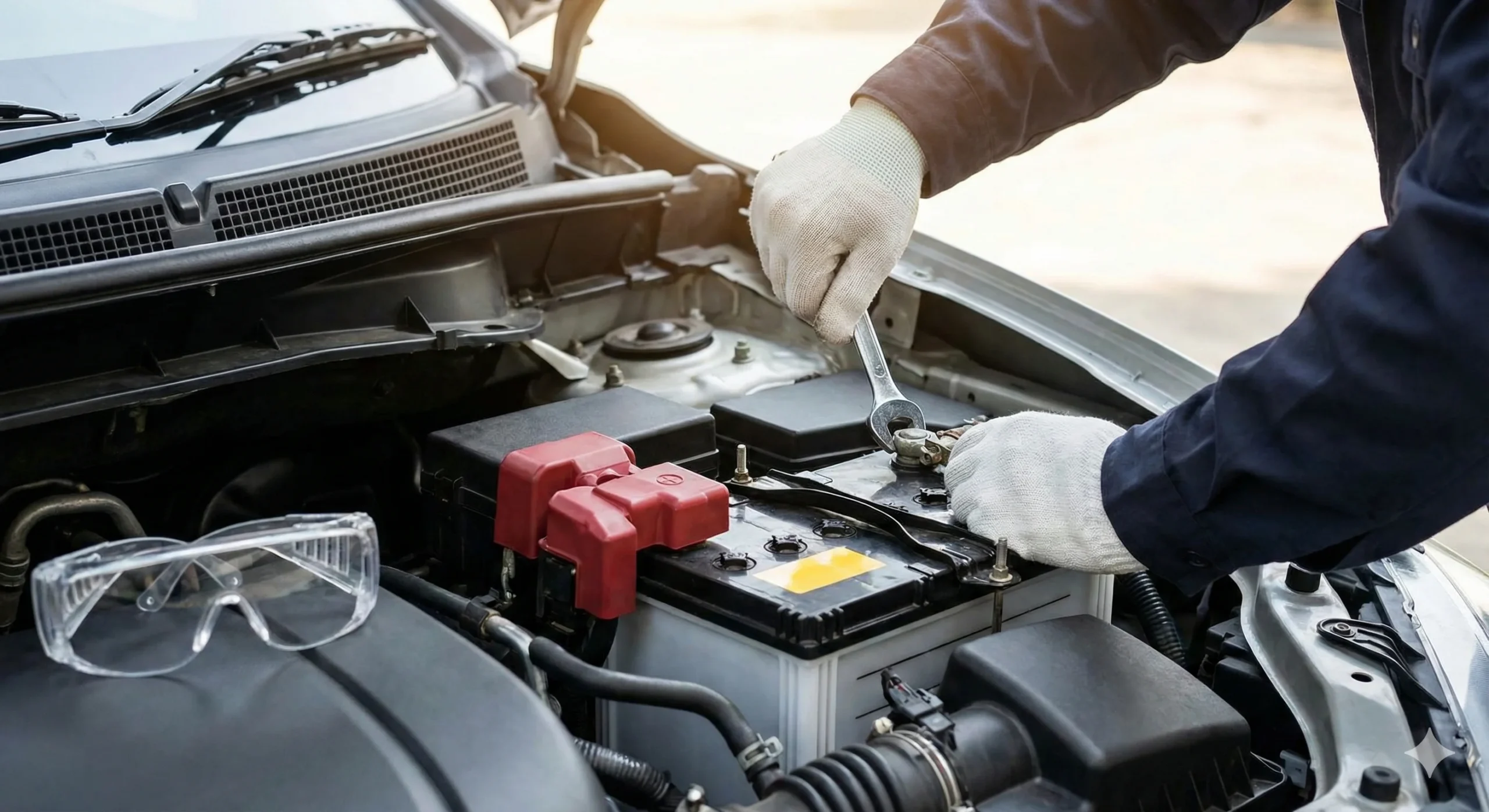
Disconnecting a car battery seems like a simple task—just two bolts, right? But doing it in the wrong order can lead to sparks, blown fuses, or even damage to your vehicle’s expensive computer system. Whether you are replacing an old battery, cleaning corrosion, or storing your car for the winter, knowing how to disconnect car battery cables correctly is a fundamental skill for every driver.
In this guide, we will walk you through the process safely. We will cover the tools you need, the critical “Negative First” rule, and how to safely disconnect a car battery without resetting your radio or losing data.
Before you start, if you are removing the battery because it constantly loses charge, it might be nearing the end of its lifespan. It is worth checking how long do car batteries last to see if a simple recharge will fix the issue or if you need a replacement.
1. Preparation and Safety First
Working with car batteries involves electricity and corrosive acid. A few seconds of preparation can prevent hours of headache.
What You Need:
- Safety Gear: Wear safety glasses and insulated gloves. Batteries contain sulfuric acid which can irritate skin and eyes.+1
- Socket Wrench: Usually a 10mm size fits most battery terminals, though some American cars may use 1/2 inch or 13mm.
- Wire Brush: To clean off any white/blue corrosion powder.
- Clean Rag: To wipe away grease.
Warning: Before you touch anything, turn off your ignition and remove the keys from the car. Also, remove any metal jewelry (rings, bracelets, watches). If a metal ring touches the positive terminal and the car frame simultaneously, it can heat up instantly and cause severe burns.+1
2. Step-by-Step: Which Terminal to Disconnect First?
The most common question drivers ask is: “Which battery terminal to disconnect first?”. The answer is always Negative.
Step 1: Locate the Battery
Open the hood and find the battery. In most cars, it is a rectangular box near the front corner. Note: In some modern vehicles (like BMWs or hybrids), the battery might be located in the trunk or under the rear seat.
Step 2: Identify the Terminals
You must distinguish between the Positive and Negative posts.
- Positive (+): Usually has a RED cover and a plus sign (+) stamped on the case.
- Negative (-): Usually has a BLACK cover (or no cover) and a minus sign (-) stamped on the case.
Step 3: Disconnect the Negative (Black) Terminal FIRST
Using your wrench, loosen the nut on the Negative (-) cable clamp. You don’t need to remove the nut completely; just loosen it enough so the clamp can wiggle.
- Pull the black cable off the terminal.
- Tip: Tuck the cable aside so it cannot accidentally spring back and touch the terminal.
Step 4: Disconnect the Positive (Red) Terminal SECOND
Once the negative cable is completely removed, repeat the process for the Positive (+) terminal. Loosen the nut, lift the clamp off, and move it away from the battery.
Step 5: Secure the Battery (If removing)
If you are physically removing the battery, unscrew the hold-down bracket that keeps it in place. Lift the battery straight up—be careful, they are heavy (often 30-50 lbs).
3. Why Order Matters: The Physics of Safety
Why are we so strict about the “Negative First” rule?
Your car uses a “Negative Ground” system. This means the entire metal body of your car is connected to the negative battery terminal.
- Scenario A (Safe Way): You remove the Negative first. If your wrench slips and hits the metal car frame, nothing happens because they are already connected/grounded together.
- Scenario B (Dangerous Way): You try to remove the Positive first. If your metal wrench slips and touches the car’s metal frame, you create a direct short circuit. Sparks will fly, the battery could explode, or you could melt the wrench and damage the car’s ECU (computer).
By removing the negative cable first, you “break the circuit.” After that, the car’s metal frame is no longer grounded, so accidental touches with the positive wrench are much safer.
4. How to Reconnect the Car Battery
When you are ready to install the new battery or finish your repairs, you must reverse the order. This is how to connect a car battery safely:
- Clean the Terminals: Use a wire brush to remove corrosion.
- Connect Positive (+) First: Attach the Red cable and tighten the nut.
- Connect Negative (-) Last: Attach the Black cable and tighten the nut. You might see a small spark when the negative cable touches—this is normal.
- Tighten Check: Try to wiggle the cables by hand. If they move, they are too loose.
Memory Hook: Disconnect Negative first (Subtraction). Connect Positive first (Addition).
5. Common Questions: Resets and Storage
Will this reset my car’s computer?
Yes. When you disconnect car battery cables, the ECU (Engine Control Unit) loses power. This usually clears:
- Radio presets and clock time.
- Check Engine Light codes (though they will return if the problem isn’t fixed).
- Idle “learning” data (your car might idle roughly for the first few minutes of driving until it relearns).
How long to leave battery disconnected to reset car computer?
If you are trying to clear a glitch or a check engine light, you generally need to leave the battery disconnected for 15 to 30 minutes. This allows the capacitors in the system to fully drain power.
Conclusion
Knowing how to disconnect car battery cables is a quick, essential skill that saves you from potential electrical disasters. Always remember: Negative (Black) off first, and on last.
Regular vehicle maintenance doesn’t stop here. Just as you ensure your battery is safe, keeping up with other routine checks—like knowing how long does an alignment take—ensures your vehicle remains safe and reliable for years to come.
Frequently Asked Questions (FAQ)
1. Which battery terminal do I disconnect first? You must always disconnect the Negative (Black / -) terminal first. This prevents accidental short circuits if your tool touches the car’s metal body frame while working.
2. Will disconnecting the battery reset the car computer? Yes, disconnecting the battery cuts power to the ECU. This will likely reset your radio presets, clock, and clear temporary error codes (Check Engine Light) from the computer’s memory.
3. Do I need to disconnect the battery to charge it? While you can often charge a battery while it is still in the car, it is safer to disconnect the cables (or at least the negative cable) to prevent any power surges from the charger damaging the car’s sensitive electronics.