






Finding a glowing amber icon on your dashboard can be a source of immediate stress. However, in 2026, the process for how to reset check engine light (CEL) warnings has become significantly more accessible for the average driver. Whether you’ve just tightened a loose gas cap or completed a DIY oxygen sensor replacement, clearing that code is the final step in your repair journey.
This comprehensive guide covers the four primary methods to reset your vehicle’s computer, the technical “why” behind recurring lights, and essential safety precautions to protect your engine’s longevity.
How to Reset Check Engine Light: The Quick Answer
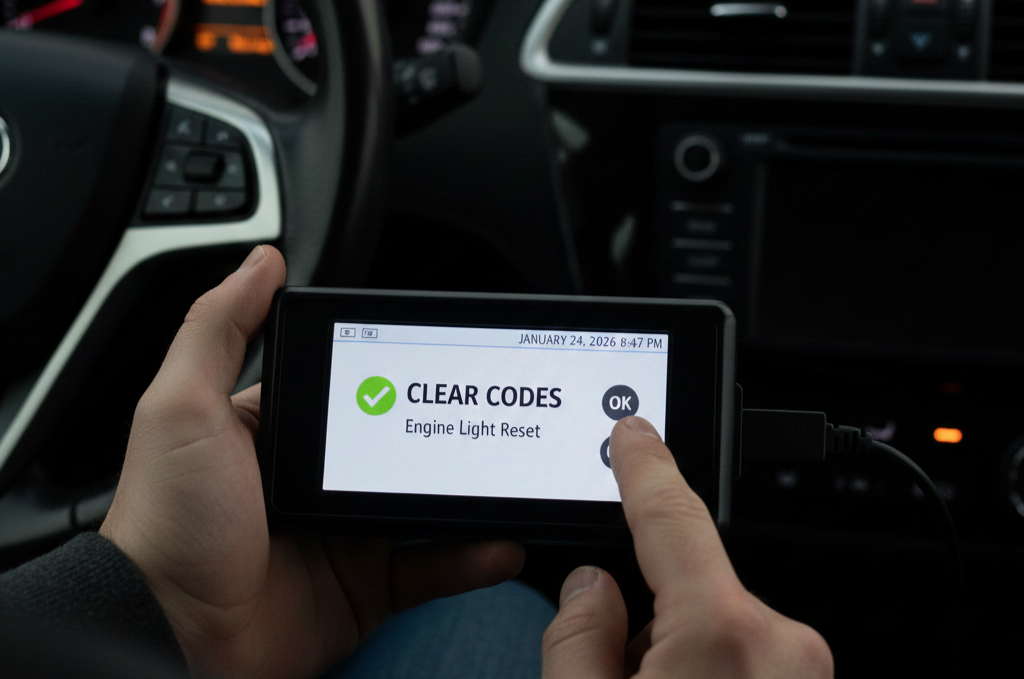
The most reliable way to reset a check engine light is using an OBD-II scanner. Plug the device into the port under your dashboard, select “Read Codes” to confirm the issue, and then select “Clear/Erase Codes.” Alternatively, completing a Drive Cycle (50–100 miles of varied driving) allows the car’s computer to reset itself automatically once it detects the fault is gone.
Method 1: Using an OBD-II Scanner (Recommended)
This is the “Gold Standard” for modern vehicle maintenance. Unlike older manual tricks, a scanner ensures you aren’t just hiding a symptom but are actively managing the Engine Control Module (ECM).
- Locate the OBD-II Port: Usually found under the driver-side dashboard near the steering column.
- Connect and Power Up: Plug the scanner in and turn your ignition to the “ON” position (do not start the engine).
- Read and Record: Always press “READ” first. Note the Diagnostic Trouble Codes (DTCs) like P0420 or P0300. This is vital for your records in case the light returns.
- Erase: Press the “ERASE” or “CLEAR” button. The scanner will send a command to the ECU to wipe the temporary memory.
- Confirm: Start the engine. The light should be gone.
Method 2: The “Three-Cycle” Ignition Trick
If you don’t have a scanner, many vehicles (especially older models) allow for a manual reboot of the dashboard indicators through the ignition switch.
- Step 1: Insert the key into the ignition.
- Step 2: Turn it to “ON” (where the lights hit the dash) for one second, then “OFF.”
- Step 3: Repeat this three times in rapid succession.
- Step 4: On the fourth turn, start the engine.
This method effectively tells the computer to perform a “soft refresh” of its sensor data. If the fault was a temporary glitch—like a sensor reading a one-time airflow spike—the light will often stay off.
Method 3: Disconnecting the Battery (The “Hard Reset”)
This is an old-school technique that “drains” the computer’s memory by cutting the power supply.
Warning: Using this method will often erase your clock settings, radio presets, and seat memory. It may also reset the “Readiness Monitors” required for emissions testing.
- Disconnect the Negative Terminal: Use a wrench to remove the black (-) cable.
- Drain Residual Power: Honk the horn for 30 seconds or turn on the headlights. This uses up any electricity left in the capacitors.
- Wait: Leave the battery disconnected for at least 15 minutes.
- Reconnect: Secure the cable and start the car.
While effective, this is often a temporary fix. If the mechanical issue persists, the light will return within a few miles once the computer finishes checking the health of your vehicle’s electrical system. To ensure your car’s power delivery remains stable, it’s also worth investigating how long do car batteries last to rule out low voltage as a cause for “ghost” codes.
Method 4: The Automatic “Drive Cycle”
The most “natural” way for a light to turn off is for the car to decide the problem is fixed. Modern ECU software is designed to be self-correcting. If you’ve addressed the cause (e.g., you replaced a faulty spark plug), the car needs to see a “Clean Drive Cycle.”
- City Driving: 15 minutes of stop-and-go traffic.
- Highway Driving: 15 minutes at a steady 55–60 mph.
- Cold Start: Letting the engine cool completely before restarting.
Usually, after 50 to 100 miles of varied driving, the computer will move the “Active Code” to “History” and turn the light off. This is a core part of following a complete preventative maintenance schedule that keeps your vehicle in top shape.
Why the Light Comes Back After Resetting
A common frustration for drivers is the light returning 24 hours after a reset. This happens for three main reasons:
- Hard Faults: The problem is physical (e.g., a snapped wire or a cracked vacuum hose). The computer sees the error the millisecond the engine starts.
- Pending Codes: Some systems, like the Catalytic Converter, require two or more “failed” tests before they trigger the light. You might drive for two days before the computer confirms the failure.
- The Gas Cap Issue: A loose or leaking gas cap is the #1 cause of a recurring light. Even a microscopic leak in the seal will trigger the Evaporative Emission (EVAP) system.
Reset Comparison Table
| Method | Best For | Pros | Cons |
| OBD-II Scanner | Precision Tuning | Doesn’t lose radio presets | Requires a tool |
| Ignition Cycle | Minor Glitches | Free and fast | Doesn’t work on all brands |
| Battery Pull | Total System Reset | Clears “stubborn” codes | Resets all electronics |
| Drive Cycle | Post-Repair Validation | Most “accurate” for the ECU | Takes time and mileage |
E-E-A-T Safety Advisory: When NOT to Reset
Never reset a flashing check engine light. A solid light means “Check this soon,” but a blinking light indicates a severe engine misfire that is currently dumping raw fuel into your exhaust. Driving with a flashing CEL can melt your catalytic converter in minutes, turning a $100 repair into a $2,000 disaster.
Would you like me to help you decode a specific OBD-II error code you are seeing on your scanner?